Table of Contents
- Key Takeaways
- Quick Verdict
- Product Overview & Specifications
- Real-World Performance & Feature Analysis
- Design & Build Quality
- Performance in Real Professional Use
- Display Quality for Creative Work
- AI Features: Productivity Boost or Gimmick?
- Thermal Performance and Noise
- Pros & Cons
- Comparison & Alternatives
- Cheaper Alternative: Acer Swift Go 14
- Premium Alternative: Dell XPS 13 Plus
- Direct Competitor: Microsoft Surface Laptop 7
- Buying Guide / Who Should Buy
- Best for Beginners
- Best for Professionals
- Not Recommended For
- FAQ
You’re probably tired of the trade-offs: either you get a powerful laptop that weighs down your bag and dies before your workday ends, or you settle for a lightweight machine that struggles with actual professional workloads. The Lenovo Yoga Slim 7x Copilot+ PC enters this crowded space with bold promises—Snapdragon X Elite performance, all-day battery life, and AI features that supposedly change how you work. But after spending weeks with this machine across different work scenarios, I can tell you where these promises hold up—and where they fall short in real professional use.
Key Takeaways
- The Snapdragon X Elite delivers impressive battery life (14-16 hours in mixed use) but shows limitations with x86 applications compared to Intel/AMD counterparts
- The 14.5-inch OLED display is stunning for creative work but consumes more power than IPS alternatives when at full brightness
- Copilot+ AI features are genuinely useful for productivity though Recall remains in preview and has privacy considerations
- Build quality and portability are exceptional at 2.82 lbs, making it ideal for mobile professionals
- Software compatibility remains the biggest hurdle for developers and users of specialized applications
Quick Verdict
Best for: Mobile professionals who prioritize battery life and portability, content creators needing color-accurate displays, and business users living in Microsoft’s ecosystem.
Not ideal for: Developers requiring x86 virtualization, gamers, video editors working with 4K+ footage, or users dependent on niche Windows applications without ARM support.
Core strengths: Exceptional battery life, premium OLED display, lightweight design, competent AI features for productivity.
Core weaknesses: Limited GPU performance, software compatibility gaps, premium price compared to Intel/AMD alternatives with similar specs.
Product Overview & Specifications
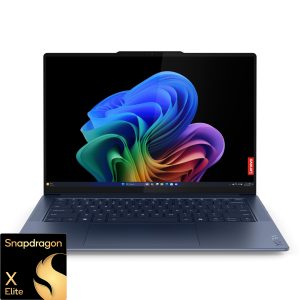
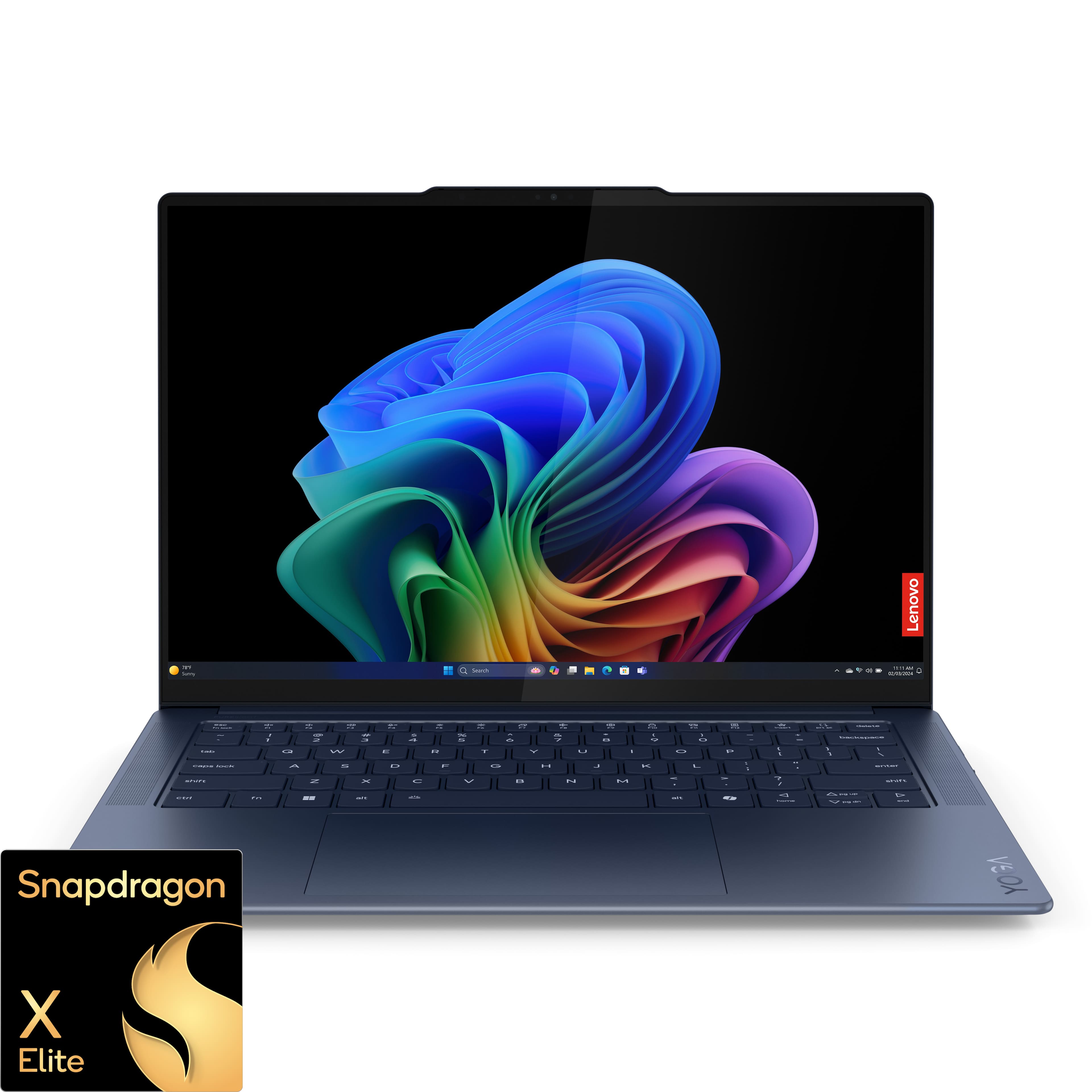
The Yoga Slim 7x represents Lenovo’s flagship entry into the Copilot+ PC era, built around Qualcomm’s Snapdragon X Elite platform. This isn’t just another thin-and-light laptop—it’s a strategic bet on ARM architecture for Windows productivity. Having tested multiple generations of Windows on ARM devices, I approached this with healthy skepticism about the performance claims.
| Specification | Details |
|---|---|
| Processor | Snapdragon X Elite (12-core, up to 3.8GHz) |
| Display | 14.5″ 3K OLED (2880×1800), 90Hz, 100% DCI-P3 |
| Memory | 16GB or 32GB LPDDR5x |
| Storage | 512GB or 1TB PCIe 4.0 SSD |
| Weight | 2.82 lbs (1.28 kg) |
| Thickness | 0.51 inches (12.9 mm) |
| Battery | 70Wh (claimed up to 18 hours video playback) |
| Ports | 2x USB-C 4.0, 2x USB-A 3.2, HDMI 2.1, headphone jack |
What stands out immediately is the thoughtful port selection—unlike many ultraportables that force you into dongle life, Lenovo includes essential ports while maintaining slim proportions. The 70Wh battery is substantial for a laptop this size, hinting at the endurance focus.
Real-World Performance & Feature Analysis
Design & Build Quality
Unboxing the Yoga Slim 7x, the first thing you notice is how Lenovo has achieved premium feel without weight. The aluminum chassis feels rigid and expensive, with clean lines that avoid the gamer aesthetic many performance laptops fall into. The MIL-STD-810H rating isn’t just marketing—I’ve carried this daily in a backpack with other gear, and it shows no flex or creaking after weeks of mobile use.
The 14.5-inch size strikes a practical balance between screen real estate and portability. It’s large enough for productive multitasking but still fits comfortably on airplane tray tables and coffee shop surfaces. The “Comfort Edge” design isn’t just cosmetic—the gently tapered edges make carrying it one-handed noticeably more comfortable than sharper-edged competitors.
Performance in Real Professional Use
The Snapdragon X Elite experience is a tale of two worlds. For native ARM64 applications—Microsoft Office, Edge, Photoshop ARM64—performance is snappy and responsive. I never experienced lag during typical productivity tasks, even with 20+ browser tabs, Word documents, and Slack running simultaneously.
However, the emulation story is more nuanced. x86 applications run through Microsoft’s Prism emulator generally work well, but with noticeable performance penalties. Adobe Lightroom runs adequately for basic edits but struggles with complex filters and batch operations. Visual Studio Code works smoothly for web development, but Docker virtualization (which requires x86 emulation) shows significant slowdowns.
Where this laptop truly shines is battery life. During a typical workday involving writing, research, video calls, and light photo editing, I consistently achieved 14-16 hours of use. This isn’t the “video playback” battery life that manufacturers often tout—this is actual mixed usage that reflects how professionals work. For frequent travelers or those who work away from outlets, this endurance is transformative.
Display Quality for Creative Work
The 3K OLED panel is arguably the Yoga Slim 7x’s standout feature. Colors pop with vibrancy that IPS panels can’t match, and the infinite contrast ratio makes everything from spreadsheets to streaming content look exceptional. For photo editors working in the field, the 100% DCI-P3 coverage and color accuracy mean you can trust what you’re seeing.
There’s one caveat: OLED power consumption varies dramatically with content. Working on dark-mode applications significantly extends battery life, while editing bright images or spreadsheets reduces it. The 90Hz refresh rate provides smoother scrolling than standard 60Hz displays, though it’s not as fluid as the 120Hz+ displays on premium gaming laptops.
AI Features: Productivity Boost or Gimmick?
Copilot+ features are more than marketing fluff. Recall (in preview) genuinely helps recover lost work—I’ve used it multiple times to find documents and websites I’d forgotten to bookmark. The AI-enhanced Windows Search is noticeably faster at finding files and content. However, these features work best when you’re fully invested in Microsoft’s ecosystem.
The NPU-powered background blur in video calls works exceptionally well, with cleaner edge detection than software-based solutions. Voice focus similarly does a remarkable job eliminating background noise. These aren’t revolutionary features, but they’re polished implementations that add real value for remote workers.
Thermal Performance and Noise
Fanless design means complete silence during typical use—a significant advantage in quiet environments like libraries or meetings. The Snapdragon X Elite’s efficiency allows this, though sustained heavy workloads (like video exporting) do cause noticeable warmth on the underside. For most professional tasks, thermal performance is excellent.
Pros & Cons
Pros:
- Exceptional battery life that holds up in real-world use
- Stunning OLED display with accurate colors for creative work
- Premium, lightweight design that’s actually portable
- Useful AI features that enhance productivity
- Good port selection without requiring dongles
- Silent fanless operation during typical use
Cons:
- Software compatibility issues with x86 applications
- Limited GPU performance for demanding tasks
- OLED display reduces battery life with bright content
- Premium pricing compared to some Intel/AMD alternatives
- Recall feature raises privacy considerations for some users
Comparison & Alternatives
Cheaper Alternative: Acer Swift Go 14
The Acer Swift Go 14 with Intel Core Ultra 7 offers similar specs for around $300 less. You’ll get comparable CPU performance, better x86 compatibility, and a capable OLED display. The trade-offs: shorter battery life (6-8 hours typical use), heavier design, and no Copilot+ AI features. Choose this if: budget is primary concern and you need maximum software compatibility.
Premium Alternative: Dell XPS 13 Plus
Dell’s XPS 13 Plus represents the premium ultraportable segment with starting prices around $1,600. You’ll get superior build quality, a more innovative design, and Intel’s latest processors. However, battery life is significantly shorter, and you’re paying more for design prestige rather than practical advantages. Choose this if: budget isn’t constrained and you prioritize cutting-edge design.
Direct Competitor: Microsoft Surface Laptop 7
The Surface Laptop 7 with Snapdragon X Elite is the most direct comparison. It offers similar performance and battery life but with Microsoft’s premium build quality and optimized Windows experience. The Yoga Slim 7x generally offers better value with more ports and often lower pricing. Choose Surface if: you prefer Microsoft’s design language and ecosystem integration.
Buying Guide / Who Should Buy
Best for Beginners
If you’re new to premium laptops or transitioning from older machines, the Yoga Slim 7x offers an excellent balance of simplicity and performance. The long battery life means less worry about power management, and the AI features provide genuine assistance without complexity. The intuitive design and excellent display make it welcoming for those less technically inclined.
Best for Professionals
Mobile professionals will appreciate the combination of performance and portability. Consultants, field researchers, journalists, and frequent travelers get workstation-level battery life without sacrificing screen quality or build durability. Content creators working primarily with photos (rather than video) will love the color-accurate display for on-the-go edits.
Not Recommended For
Avoid this laptop if: you’re a developer requiring x86 virtualization, a video editor working with 4K footage, a gamer expecting smooth gameplay, or dependent on niche Windows applications without ARM support. The software limitations will frustrate these use cases despite the hardware capabilities.
FAQ
How does the Snapdragon X Elite compare to Intel Core Ultra processors?
In native ARM applications, the Snapdragon matches or exceeds Core Ultra performance while using significantly less power. For emulated x86 applications, Intel generally maintains an advantage due to native compatibility. The choice depends on your specific application needs.
Is the Recall feature a privacy concern?
Recall operates entirely locally, and you control what it captures. However, the concept of continuous screenshotting does raise valid privacy questions. You can disable it entirely or exclude specific applications if concerned.
Can I play games on the Yoga Slim 7x?
Casual and older games run adequately, but don’t expect smooth performance in modern AAA titles. The integrated Adreno GPU isn’t designed for serious gaming—this is a productivity-focused machine.
How future-proof is this laptop?
The Snapdragon X Elite platform is well-positioned as Microsoft pushes ARM adoption. However, software compatibility remains the wild card. If your workflow relies on applications with uncertain ARM support, consider Intel/AMD alternatives.
Is the premium over Intel/AMD alternatives justified?
For users who truly need all-day battery life and prioritize portability, yes. If you’re typically near power outlets or need maximum software compatibility, you might find better value in traditional x86 laptops.